A pay grade is a level in a company’s pay structure that groups jobs of similar value and sets a salary range for them, with a minimum, midpoint and maximum. Every job is assigned to a grade, and employees in that job are paid within the grade’s range. Pay grades help companies pay consistently, control costs and explain pay decisions.
The best-known example in the US is the federal government’s General Schedule, which has 15 grades, each with 10 steps.
How Pay Grades Work
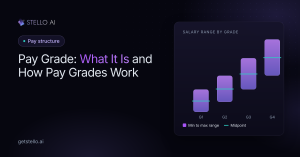
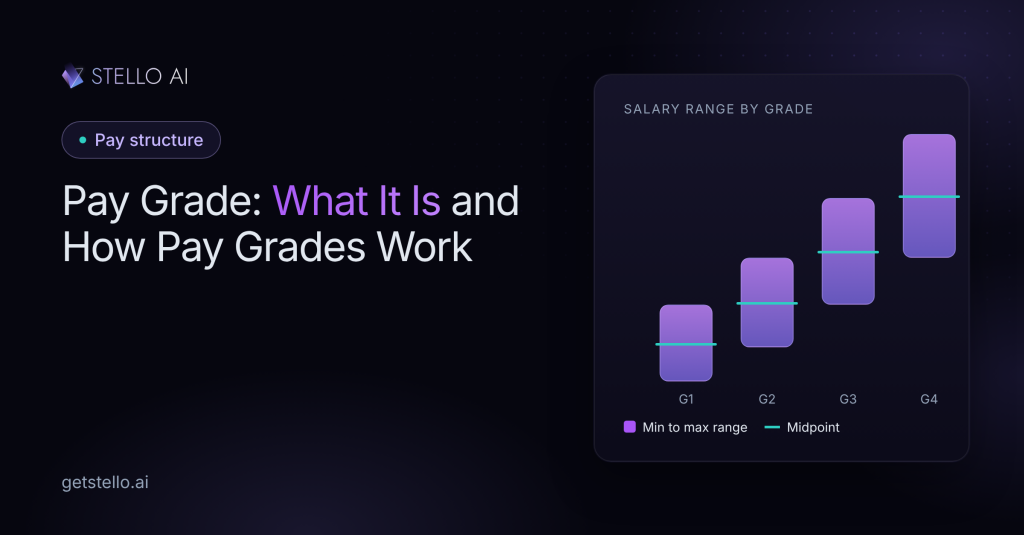
Each pay grade has three key points:
- Minimum: the lowest pay for jobs in the grade, often for people new to the role
- Midpoint: usually set at the market rate for fully competent performance
- Maximum: the highest pay for the grade, for highly experienced performers
Jobs of similar size and market value share a grade, even if they’re in different departments. For example, a senior accountant and a senior HR generalist might sit in the same grade.
Pay Grade Example
| Pay grade | Example jobs | Minimum | Midpoint | Maximum |
|---|---|---|---|---|
| Grade 1 | Customer service representative | $40,000 | $48,000 | $56,000 |
| Grade 2 | Accountant, HR coordinator | $52,000 | $62,400 | $72,800 |
| Grade 3 | Senior accountant, HR generalist | $66,000 | $79,200 | $92,400 |
| Grade 4 | Finance manager, HR manager | $85,000 | $106,250 | $127,500 |
These figures are an example. Your ranges should come from current market data for your jobs and locations.
The spread between minimum and maximum, called the range spread, usually gets wider at higher grades because senior roles have more room for growth.
Pay Grade vs Salary Band
The terms are often used together, but there’s a difference:
| Pay grade | Salary band | |
|---|---|---|
| Range width | Narrower | Wider, often combining several grades |
| Number of levels | More levels | Fewer levels |
| Best for | Structured, consistent pay | Flexibility and broad career growth |
Read more about salary bands.
How to Create Pay Grades
- Build your job architecture. Group jobs into families and levels.
- Price jobs against the market. Match each job to market data for its role, level and location.
- Group jobs of similar value into the same grade.
- Set the midpoint for each grade, usually at the market median.
- Set the range spread around each midpoint.
- Place employees in the grades and check who is below, within or above range.
- Review every year as market pay changes.
Stello AI automates the hardest steps. Its AI builds your job architecture from job titles, descriptions and salaries, matches jobs to market data and builds ranges. Stello then shows each employee’s compa-ratio and position in range, so you can see who needs an adjustment.
Pay Grades and Compa-Ratio
Compa-ratio measures an employee’s pay against the midpoint of their pay grade. A compa-ratio of 1.0 means they’re paid at the midpoint. Below 1.0 means below the midpoint, and above 1.0 means above it. Compensation teams use compa-ratio to plan raises and spot employees who are underpaid. Read our guide to compa-ratio.
Frequently Asked Questions
What is a pay grade?
A pay grade is a level in a pay structure that groups jobs of similar value and gives them a salary range with a minimum, midpoint and maximum.
What is the difference between a pay grade and a salary band?
A pay grade has a narrower range and a company usually has more of them. A salary band is wider and often combines several grades into one, allowing more flexibility.
How many pay grades should a company have?
It depends on the size and complexity of the company. Smaller companies may need fewer than 10, while large organizations often have 15 or more.
What is a pay grade in the government?
The US federal government uses the General Schedule, which has 15 pay grades, each with 10 steps that employees move through based on time and performance.
Can an employee be paid above their pay grade?
Sometimes, when an employee has very long service or a past adjustment put them above range. These employees are often called “red-circled” and may receive smaller raises or lump-sum payments until the range catches up.