Most HR teams run on three or four systems that don’t talk to each other. Payroll lives in one tool. Benefits administration sits in another. Compensation planning happens in a spreadsheet, or a separate platform if you’re lucky. Every raise, every new hire, every benefits election has to be manually keyed into each system separately.
This is where HRIS integration comes in. Done right, it turns disconnected point solutions into one coherent system of record. Done wrong, it becomes another maintenance headache. Here’s how to think about it.
TL;DR
- HRIS integration connects your HRIS, payroll, and benefits systems so employee data flows automatically instead of being re-keyed by hand.
- Disconnected systems cause payroll errors, benefits eligibility gaps, stale compensation data, and compliance exposure during audits.
- Four common integration patterns: native connectors, middleware/iPaaS, custom API integration, and file-based batch transfers.
- Before connecting anything, map fields across systems, assign a system of record for each data type, define update timing, and plan for error handling.
- Roll out in parallel with manual processes first, start with employee master data, audit records post-launch, and document the data flow.
- Compensation platforms depend on clean HRIS and payroll integration to move approved pay changes to paychecks without manual reconciliation.
What HRIS integration actually means
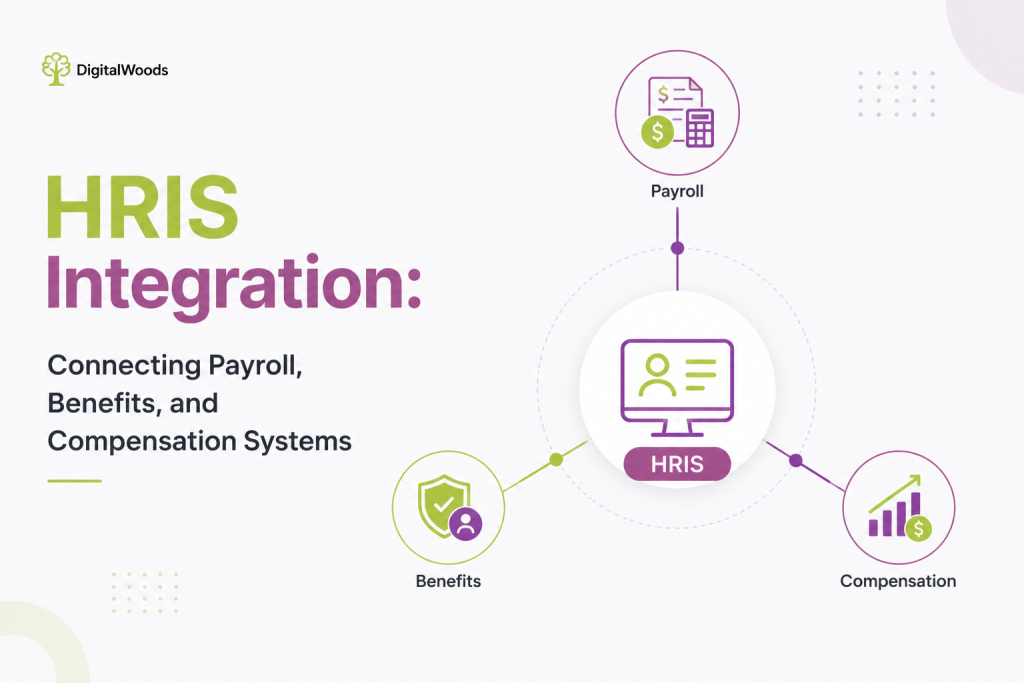
An HRIS (Human Resource Information System) is meant to be the central hub for employee data. Integration means connecting that hub to the systems that consume or feed that data, primarily payroll, benefits, and compensation platforms.
In practice, integration covers a few core data flows:
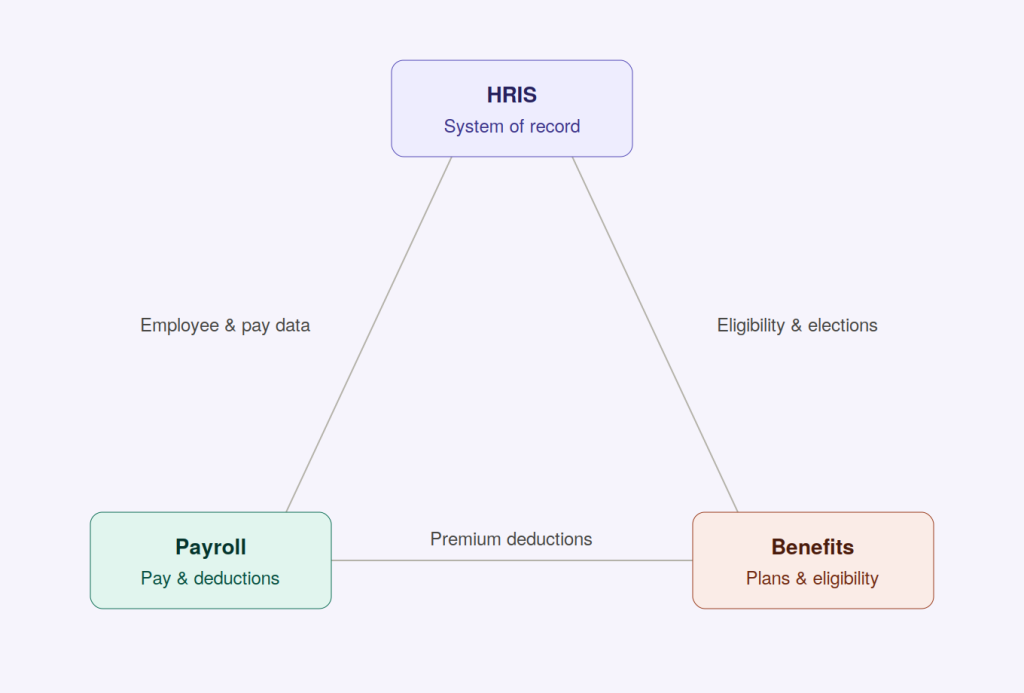
- Employee master data (name, title, department, manager, employment status) flowing from the HRIS to every downstream system
- Compensation changes (raises, bonuses, equity grants) flowing between the comp platform, the HRIS, and payroll
- Benefits elections and eligibility flowing between the HRIS and benefits carriers or administration platforms
- Payroll deductions for benefits premiums flowing from the benefits system into payroll
When these flows are automated, a single update in the HRIS ripples out correctly everywhere. When they’re not, someone is retyping data by hand, and errors creep in.
Why disconnected systems cause real damage
The cost of poor integration isn’t abstract. It shows up in specific, expensive ways.
Payroll errors. A comp change approved in one system but not reflected in payroll means someone gets paid the wrong amount. This is the single most common complaint in companies without integration, and it directly affects employee trust.
Benefits eligibility gaps. If a new hire’s start date doesn’t sync properly, they can miss enrollment windows. If a termination doesn’t sync, the company keeps paying premiums for someone who no longer works there.
Compensation data that doesn’t match reality. Comp planning tools need accurate, current data on who reports to whom, current salary, and job level. If that data is stale because it’s pulled from a manual export done last quarter, every planning decision built on it is compromised.
Compliance exposure. Pay equity audits, ACA reporting, and EEO-1 filings all require accurate, consistent data across systems. Reconciling three different sources of truth at audit time is slow and risky.
Also read: Pay Compression: How to Spot It and Fix It Before It Costs You Talent
The core integration patterns
There are a few standard approaches to connecting these systems, and most companies end up using a mix.
Native integrations. Many payroll and benefits platforms offer pre-built connectors to popular HRIS platforms. These are the easiest to set up and maintain since the vendor owns the mapping logic. The tradeoff is limited flexibility if your data model doesn’t fit their assumptions.
Middleware or iPaaS. Tools like Workato, Boomi, or Zapier sit between systems and handle the translation logic. This is useful when you have several systems that don’t have direct native connectors, or when you need custom logic (like routing comp changes above a certain threshold through an extra approval step before they hit payroll).
API-based custom integration. For companies with unique requirements or in-house engineering capacity, building directly against vendor APIs gives the most control. This is usually only worth it at scale, since it requires ongoing maintenance as vendor APIs change.
File-based batch transfers. Still common, especially with legacy payroll providers. Data is exported on a schedule (nightly, weekly) as a flat file and imported into the receiving system. It’s reliable but introduces lag, so same-day changes don’t reflect until the next batch runs.
Also read: HCM vs HRIS: What’s the Difference?
What to map before you connect anything
Before touching any integration tooling, get the data model right. This is the step teams skip, and it’s the reason integrations break later.
- Field mapping. Confirm which fields exist in each system and how they correspond. “Department” in your HRIS might map to “Cost Center” in payroll, and the values might not match one-to-one.
- System of record per data type. Decide, explicitly, which system owns each piece of data. The HRIS usually owns core employee data. The comp platform usually owns salary history and grant details. Payroll owns tax and deduction data. Without a clear owner, you get conflicting updates.
- Update triggers and timing. Does a comp change need to hit payroll immediately, or on the next pay cycle? Does a benefits election need same-day sync, or is a nightly batch acceptable? Get this agreed upfront.
- Error handling. What happens when a record fails to sync? Someone needs to be notified, and there needs to be a defined process for resolving mismatches manually.
Rolling it out without breaking payroll
A few practical steps that reduce risk during implementation:
- Run systems in parallel first. Before cutting over, run the new integration alongside the manual process for at least one full pay cycle. Compare outputs before trusting the automated feed.
- Start with the highest-value, lowest-risk flow. Employee master data sync is usually a good first step. It’s foundational and lower stakes than, say, automated payroll deduction changes.
- Audit a sample of records after go-live. Don’t assume the integration is working because no errors were thrown. Silent data mismatches are more common than loud failures.
- Document the data flow. Whoever inherits this system in two years needs to know what flows where, on what schedule, and who owns each field. This documentation is usually the first thing missing when something breaks.
Where compensation management software fits in
Compensation planning tools sit at the intersection of all three systems. They need accurate org and salary data from the HRIS to run planning cycles, and they need to push approved changes back out to payroll and, in some cases, to the HRIS itself so records stay current.
The tighter this loop is, the less reconciliation work compensation teams have to do at the end of each planning cycle. A comp platform that integrates cleanly with your HRIS and payroll system means merit increases, promotions, and bonus payouts move from approval to paycheck without a manual handoff in between.
The bottom line
HRIS integration isn’t a one-time project. It’s ongoing infrastructure that needs a clear owner, documented data flows, and periodic audits. Get the field mapping and system-of-record decisions right before connecting anything, and the payoff is fewer payroll errors, fewer benefits gaps, and compensation data that planning teams can actually trust.